Construction project management platform

Run your construction project from estimate to handover on one platform

Estimating, scheduling, tendering, site and finance in one workspace. Veyron runs the whole construction project from the same data and shows a deviation before it is too late.

14 days free on request · Nothing to install · No card details

app.veyronerp.com
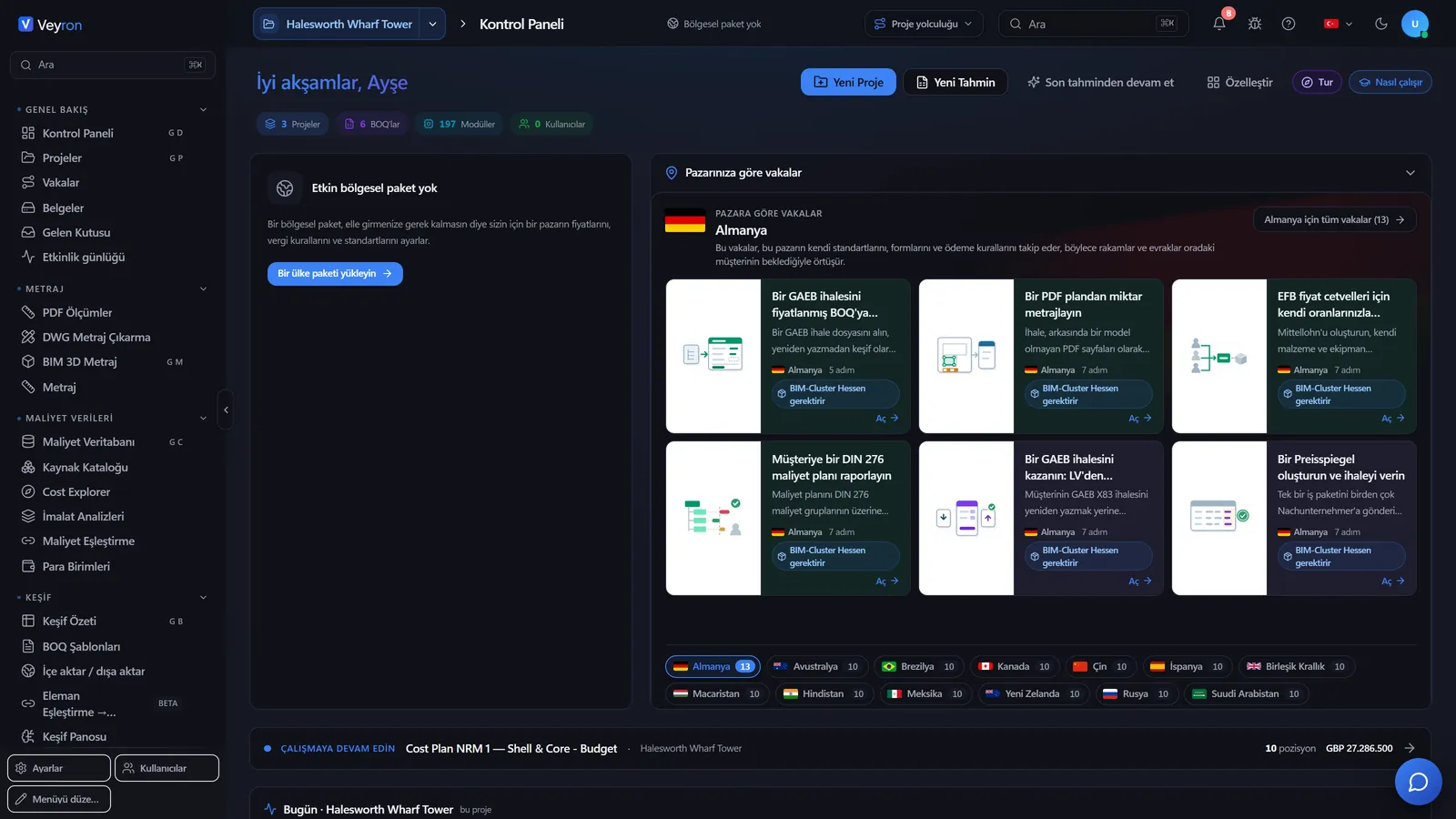
Veyron ERP dashboard: projects, cost and alerts on one screen
180+modules
120K+cost items
47regions of cost data
44interface languages
6CAD and BIM formats
Scope

Eight work areas, one platform

A change in one item flows into the budget, the schedule and the reports on its own. Modules you do not use stay out of the menu.

01

Overview

Dashboard, projects, map and portfolio at a glance.

02

Estimating and cost

BOQ editor, unit rates, assemblies and the 5D cost model.

03

BIM and takeoff

Quantities from the 3D model, PDF and DWG drawings; clash detection.

04

Planning

Schedule, progress curve, risk register, resources and equipment.

05

Tendering and procurement

Tender packages, bid comparison, purchase orders.

06

Contracts and finance

Contracts, change orders, budget, invoices and payments.

07

Site and quality

Tasks, RFIs, punch list, inspections, non-conformances.

08

Reporting and admin

Analytics, ready-made reports, users, roles and integrations.

Built for contractors working across borders

The interface runs in 44 languages and the cost database covers 47 regions, so one platform serves the head office and every site abroad.

One source of data

Estimate, schedule, procurement and payments share the same items. No re-keying between spreadsheets, no version questions.

Earned value built in

Budget, committed and actual cost on the time axis, with SPI, CPI and estimate at completion for every project.

Screen tour

See the product up close

The screens below come from a sample office tower project.

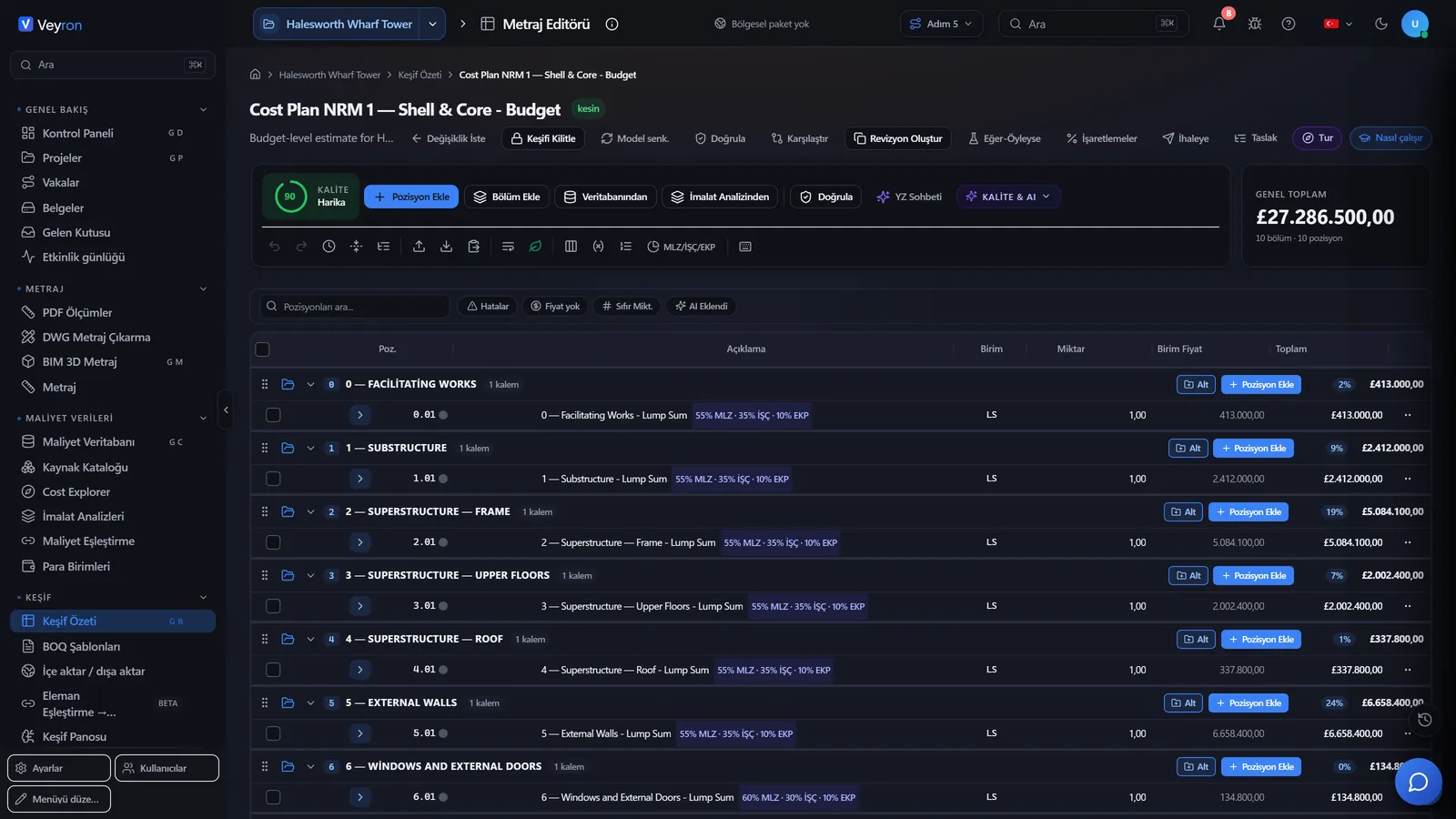
Estimate and BOQ editor
Estimate

Estimate and BOQ editor

The whole estimate in one editor, at spreadsheet speed.

  • Sections, positions and subtotals
  • Unit rates, resource breakdown and markups
  • Export to Excel, PDF and GAEB
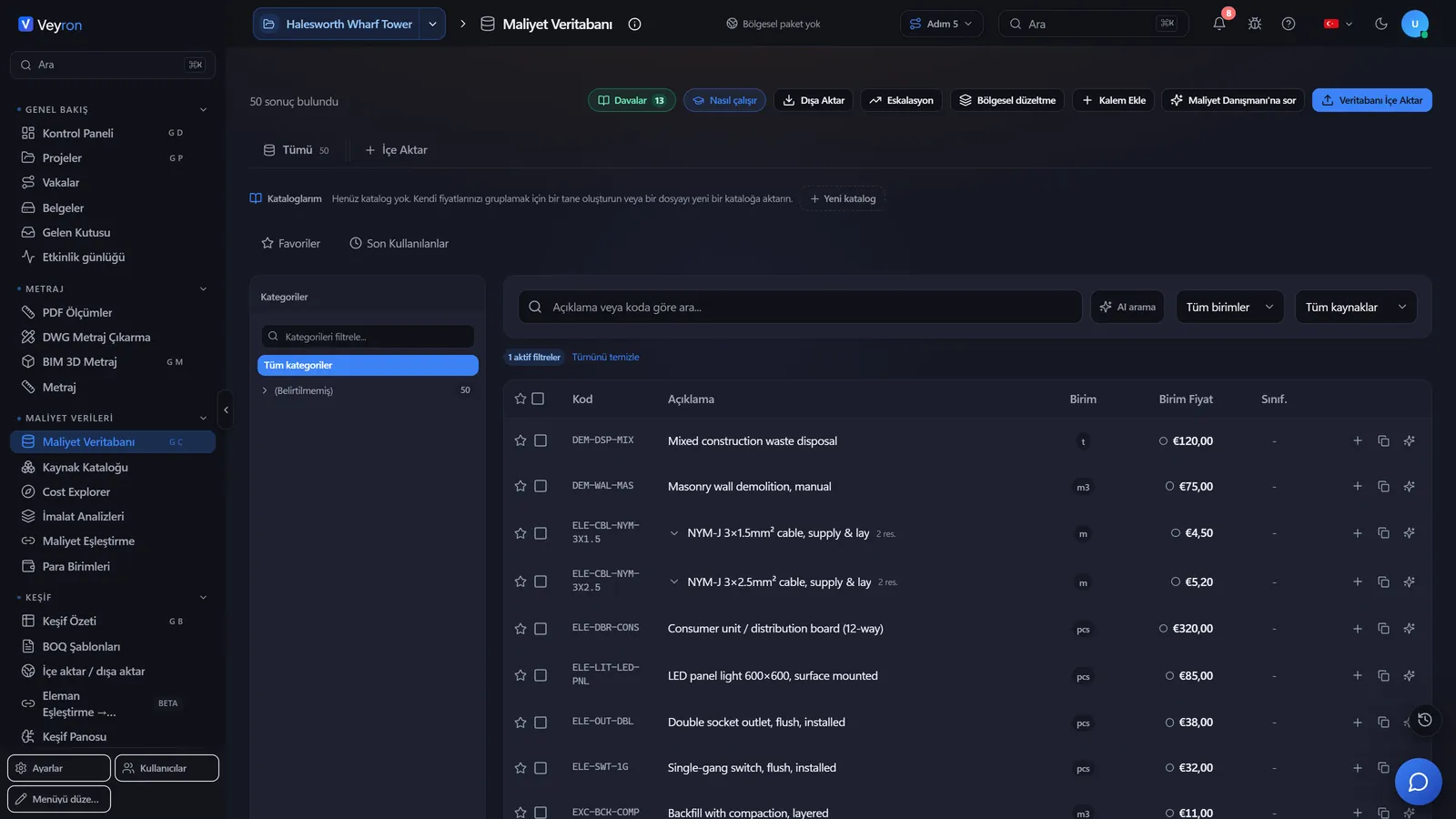
Cost database
Cost data

Cost database

More than 120 thousand items; regional catalogues import in one click.

  • Searchable unit rate list
  • Material, labour and equipment data for 47 regions
  • Import your own unit rates
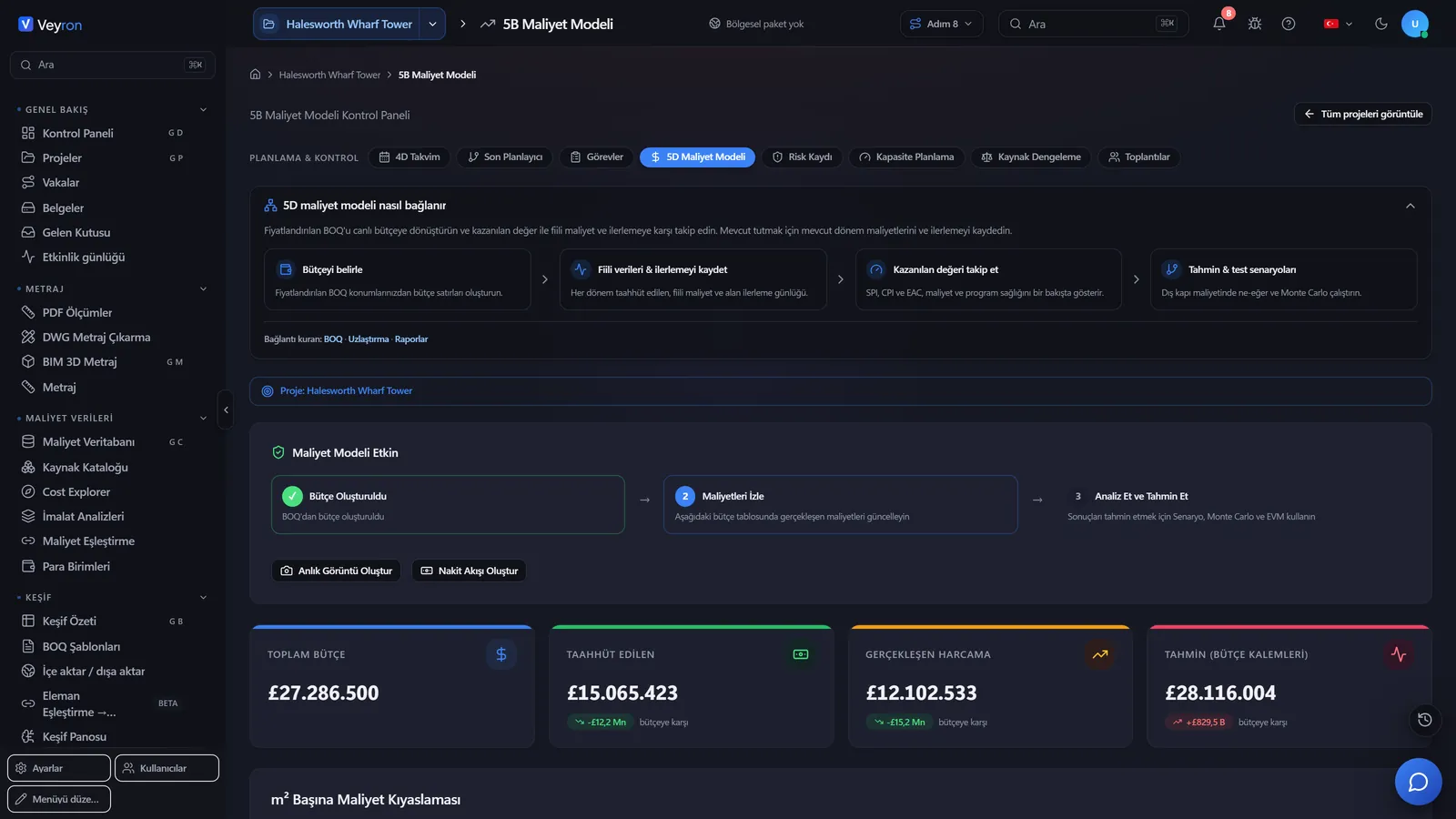
5D cost model
5D model

5D cost model

The budget, tracked along the time axis.

  • Budget, committed and actual
  • Estimate at completion and variance
  • Earned value analysis: SPI and CPI
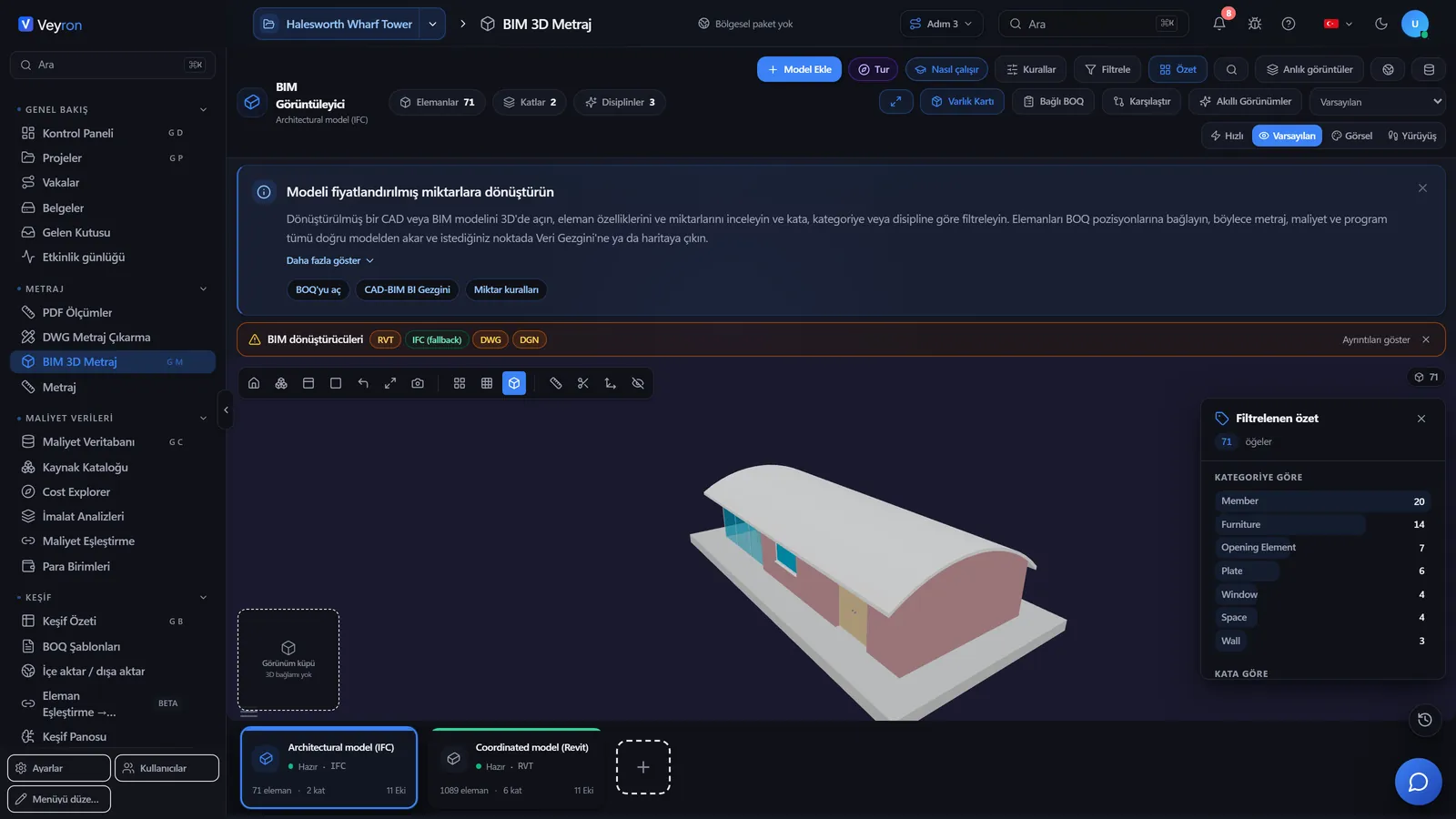
BIM 3D model viewer
BIM

BIM and takeoff

The 3D model, PDF and DWG drawings feed quantities into the same estimate.

  • 3D model viewer in the browser
  • Elements link to BOQ positions
  • Clash detection and drawing sheets
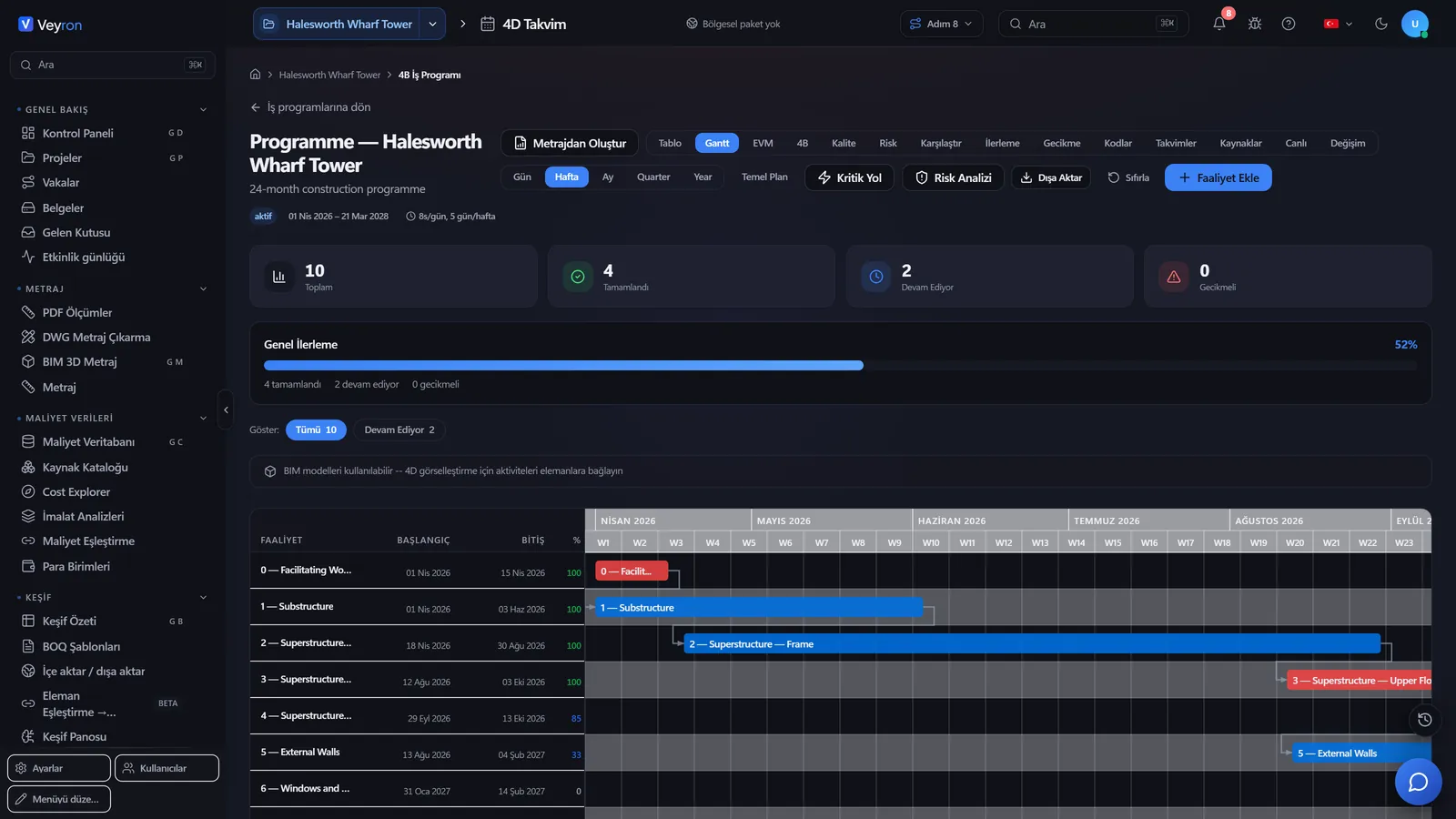
Schedule Gantt view
Schedule

Schedule and progress

The schedule is generated from the estimate; progress is tracked on the same curve as the plan.

  • Gantt view and critical path
  • Planned versus actual progress curve
  • Resource and equipment planning
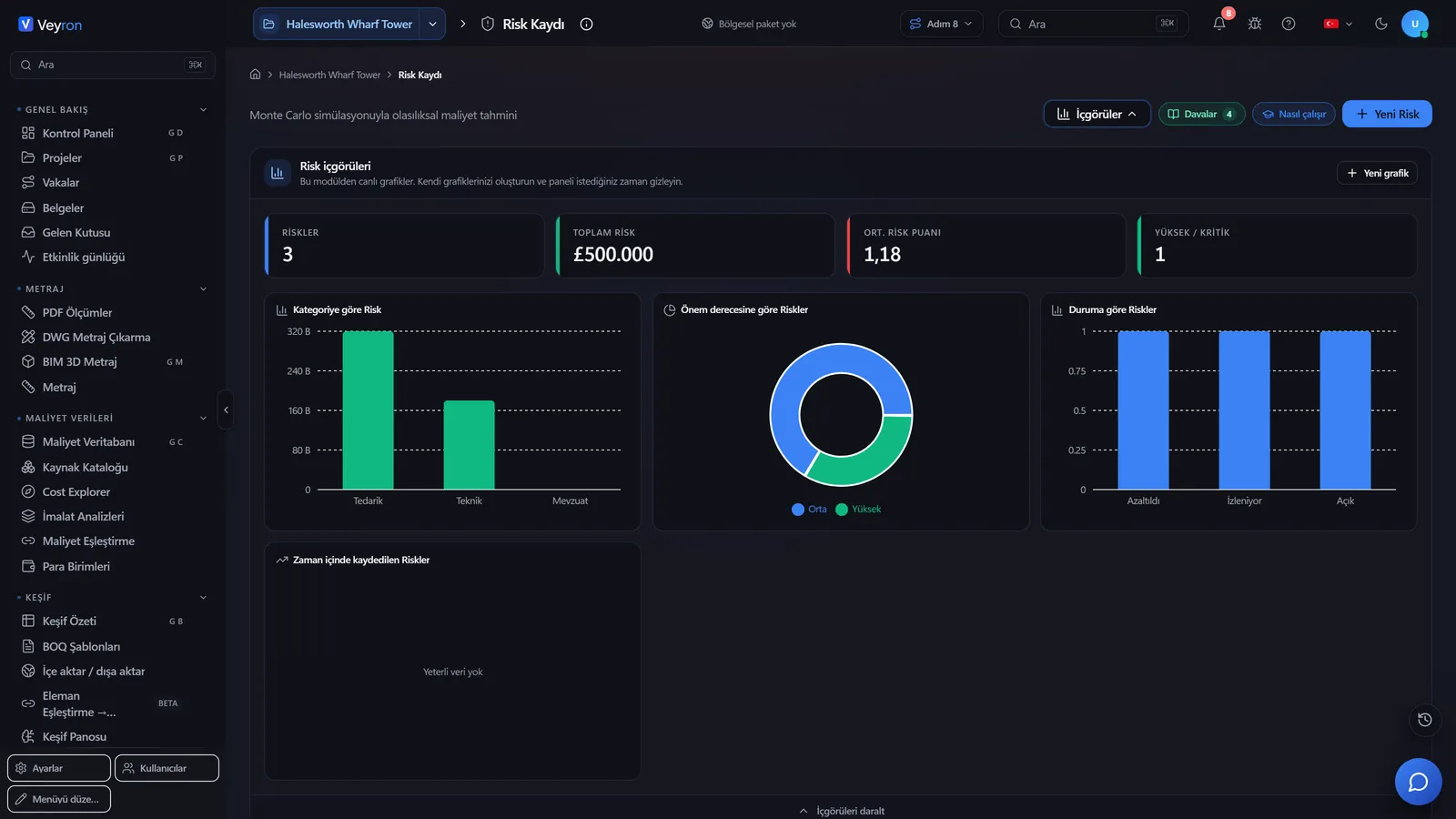
Risk register
Risk

Risk register

Risks are scored, owned and tracked with their monetary exposure.

  • Probability and impact score, risk matrix
  • Total risk exposure and high risks
  • Cost range from Monte Carlo simulation
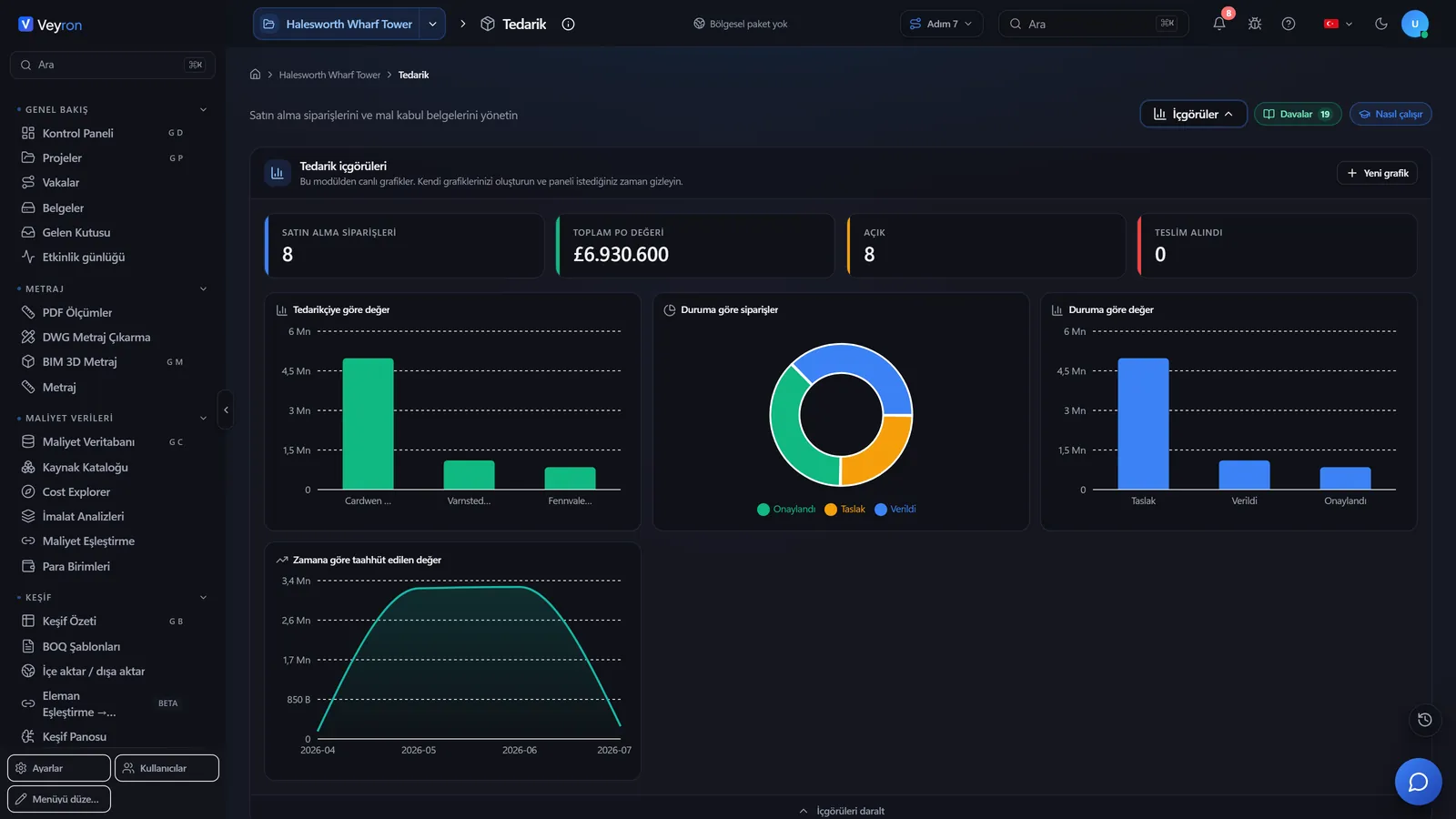
Tendering and procurement
Procurement

Tendering and procurement

BOQ items become a tender package; the winning bid becomes a purchase order.

  • Tender packages and bid comparison
  • Purchase orders and goods receipt
  • Subcontractor directory
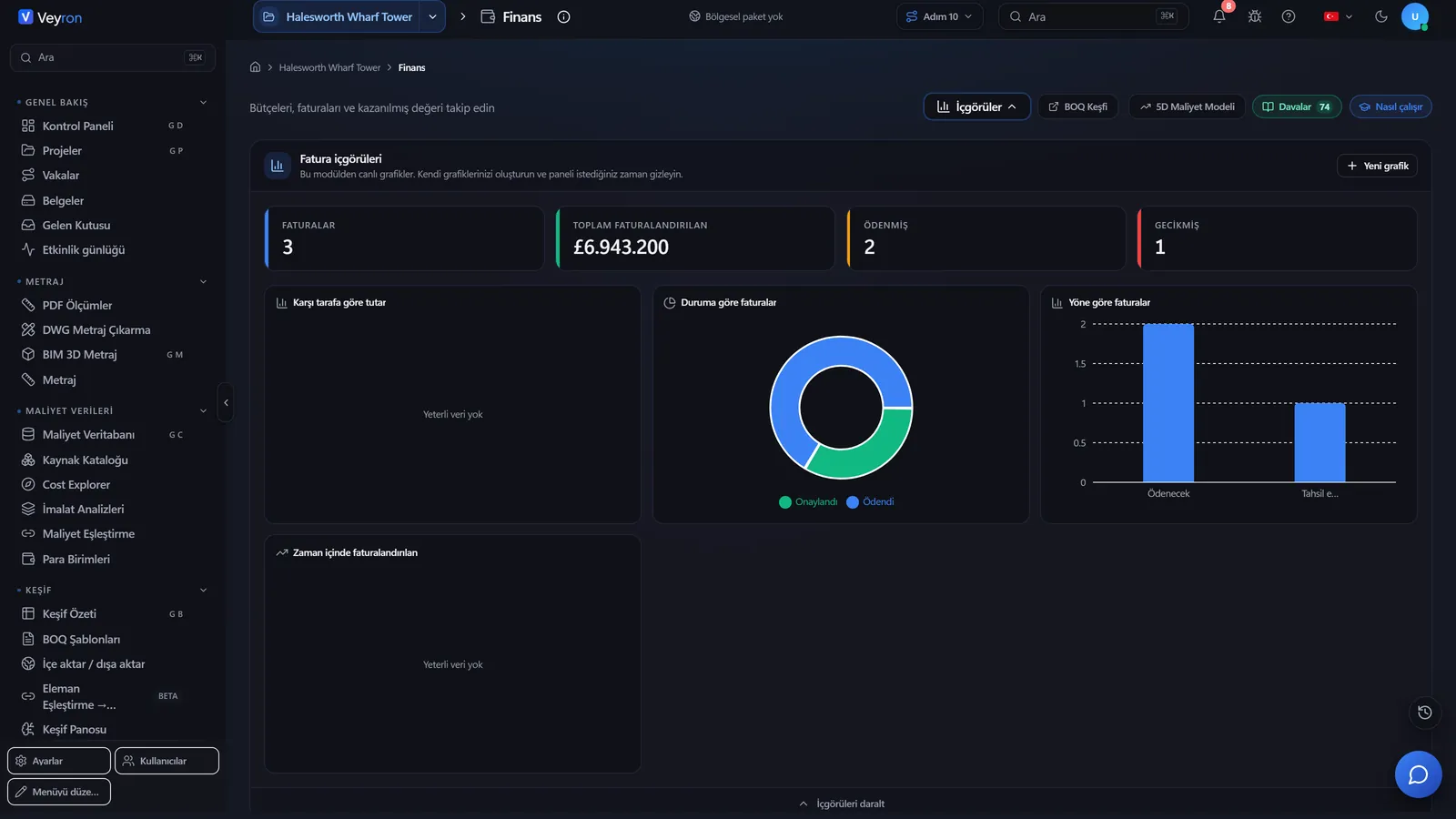
Contracts, change orders and finance
Finance

Contracts, changes and finance

The money trail: from contract to change order, from invoice to payment.

  • Contracts and their values
  • Cost and time impact of change orders
  • Budget, invoices, payments and remaining budget
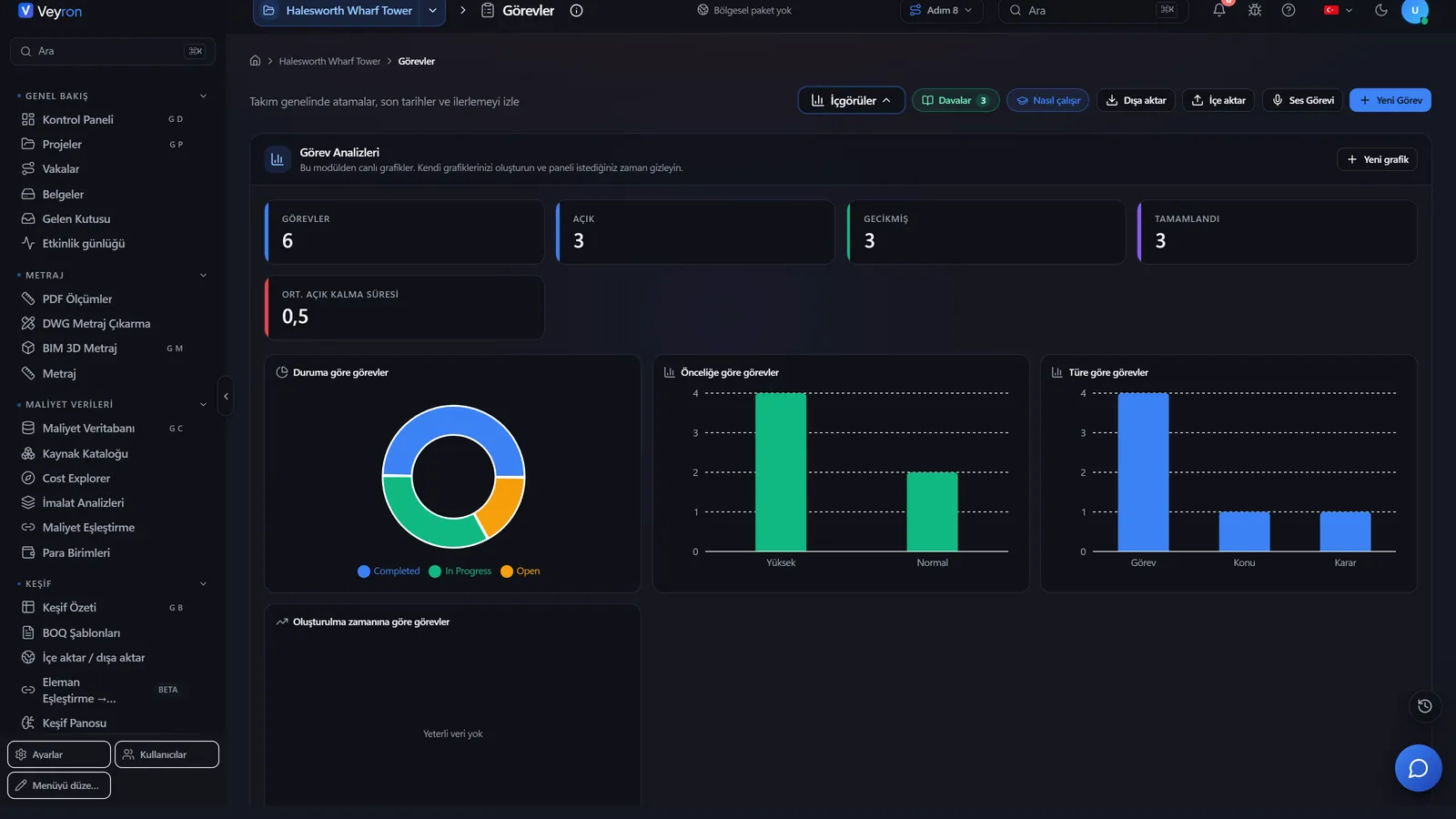
Site and quality: tasks
Site

Site and quality

Every job on site is on record.

  • Tasks: assignee, priority, due date
  • RFIs and response times
  • Punch list, inspections, non-conformances
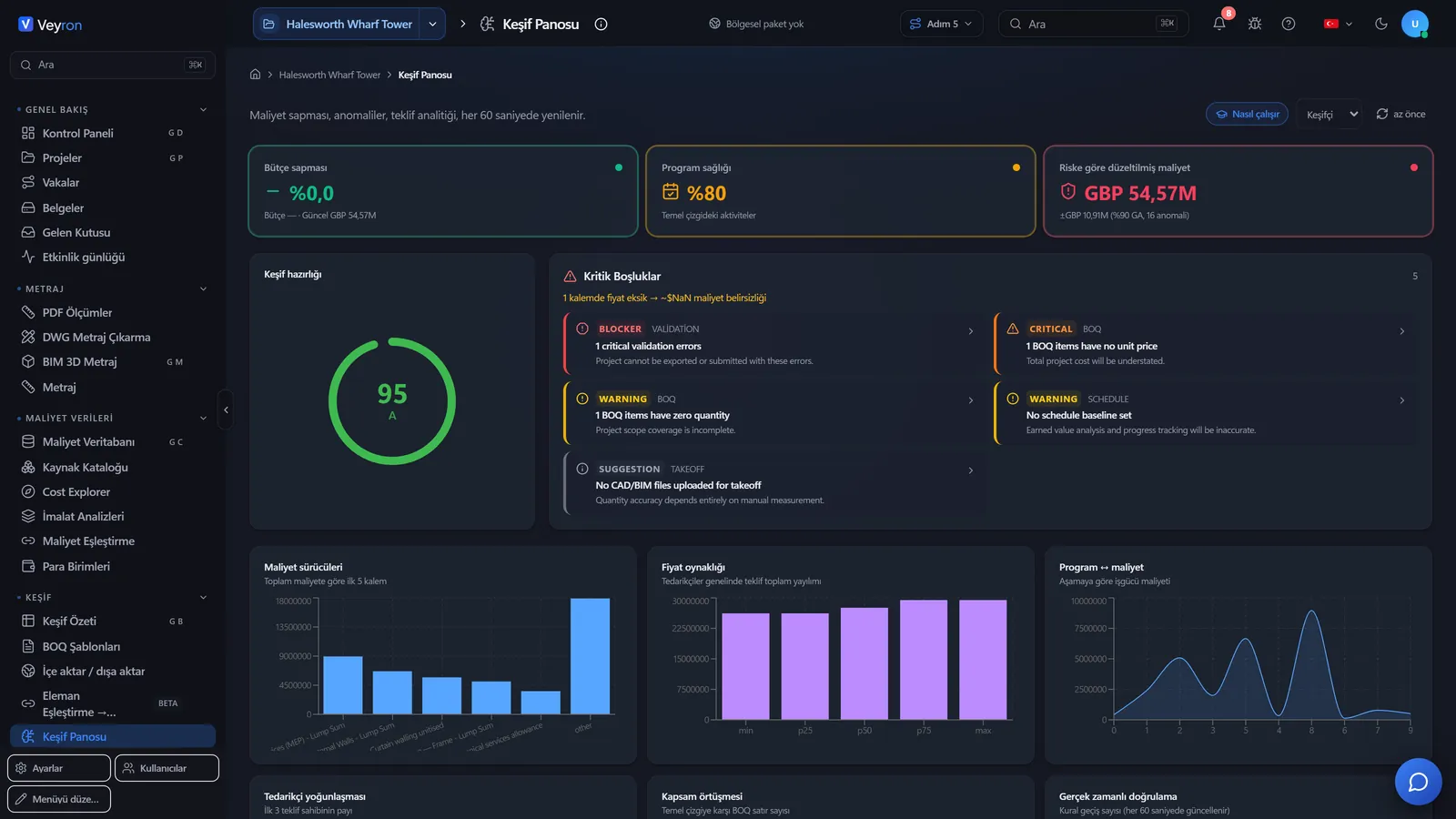
Analytics and reports
Analytics

Analytics and reports

The data is already in the system, so a report is pulled, not prepared.

  • Budget and variance comparison across projects
  • Estimate readiness score and critical gaps
  • Ready-made reports: PDF, Excel, CSV
Getting started

Up and running in four steps

1

Sign up

A company name and an email are enough. The account is verified by the link in the email.

2

Request a demo

Once approved, the whole platform opens free for 14 days.

3

Finish the setup

The wizard sets the language, region, company profile and modules.

4

Buy

A proforma is issued; payment is by bank transfer and the licence runs for one year.

Pricing

One package, the whole platform

Full Package

Per organization, per year

Excluding VAT · Customers outside Türkiye pay in USD

Write to us for pricing
  • Every module included; no per-module fee
  • Unlimited users, unlimited projects
  • 14-day free demo on request
  • Customers in Türkiye pay in TL; all other countries in USD
  • Payment by bank transfer against a proforma
FAQ

Frequently asked

What is Veyron ERP?

Veyron ERP is a cloud platform for construction companies. Estimating, takeoff, cost, scheduling, tendering, procurement, site and finance run from a single source of data.

Do I need to install anything?

No. Veyron runs in the browser. Sign up and request a demo.

Is there a free trial?

Yes. After you sign up, request a demo; once it is approved, the whole platform opens free for 14 days.

Are there limits on users or projects?

No. The Full Package includes every module, with unlimited users and unlimited projects.

Which languages does it support?

The interface is available in 44 languages, including English, German, French, Spanish, Arabic, Russian and Turkish.

How does payment work?

The licence is per organization, per year. A proforma invoice is issued and payment is made by bank transfer. Customers outside Türkiye pay in USD.

Ready for lift-off on your project?

Sign up, request a demo and try the whole platform with your own project.